Agent orchestration requires parallelism. tmux is by far the best solution to this. However, native tmux sucks, and there must be a better solution. Or so I thought.
Everything out there was lacking in some aspect. Didn’t show preview. Wasn’t nimble. Couldn’t rename sessions and windows. Therefore I have made a new and improved tmux session picker. tmux-session-picker
What the picker does
The picker gives you a tree view of all sessions and their windows, with live previews of pane content. When you hover over a session, you see every window’s last output rendered in bordered boxes. When you hover over a window, you see its full pane capture.
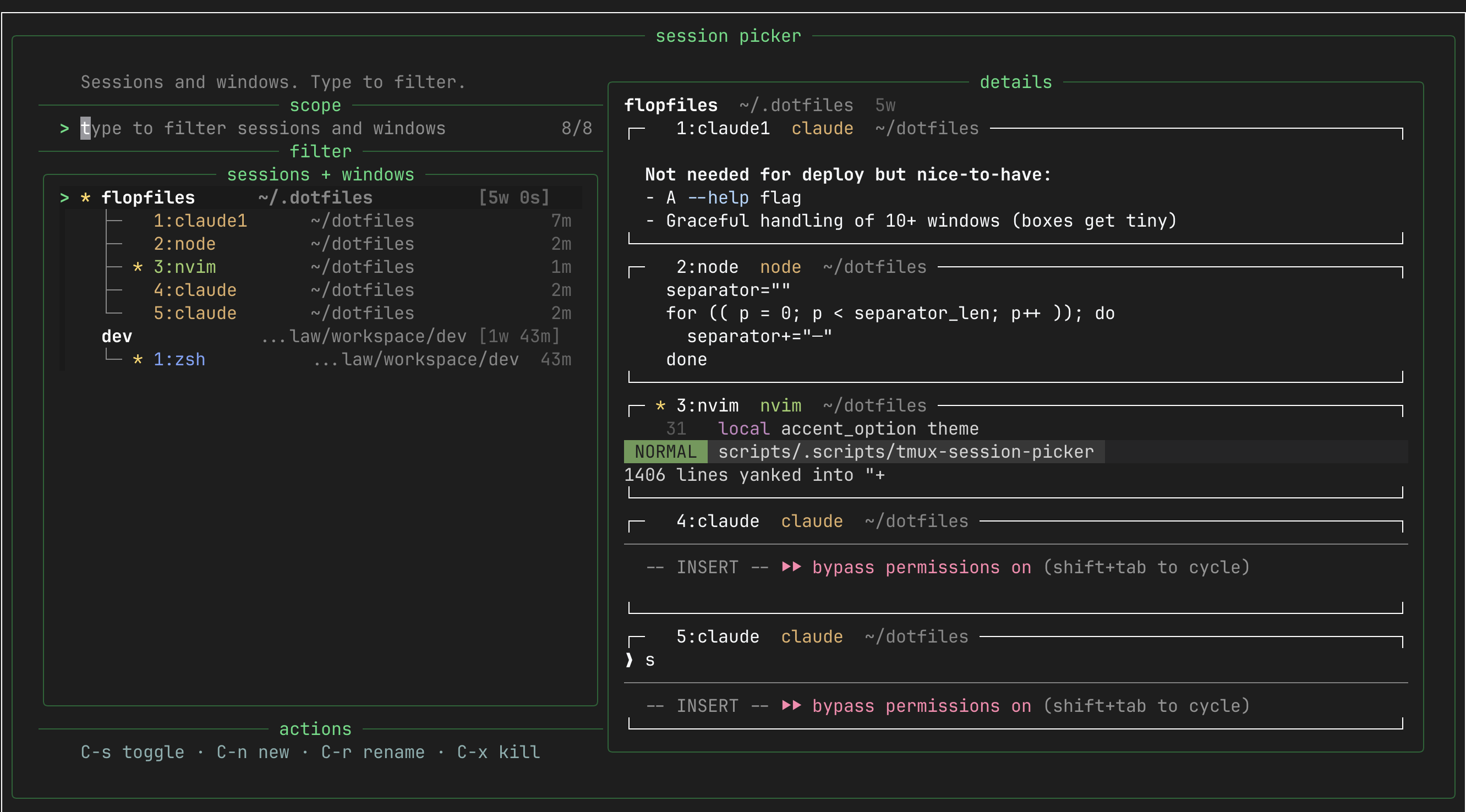
The core keybindings are simple:
- Enter — switch to session/window
- Ctrl-s — toggle between sessions-only and sessions+windows view
- Ctrl-n — create new session (with zoxide path picker)
- Ctrl-r — rename session or window
- Ctrl-x — kill session or window
Type to fuzzy-filter across everything.
Some implementation details
The whole thing is a single bash script (~1400 lines). No dependencies beyond tmux, fzf, and standard POSIX tools. A few pieces I’m happy with:
Command-type color coding
Every window gets colored based on what process is running in its active pane. This makes it instant to visually scan for your agents vs. your shells vs. your editors:
case "$pane_cmd" in
  zsh|bash|sh|fish|dash)           cmd_ansi="$color_cmd_shell" ;;   # soft blue
  nvim|vim|vi|emacs|nano|code)     cmd_ansi="$color_cmd_editor" ;;  # green
  node|npm|python|cargo|go|claude) cmd_ansi="$color_cmd_devrun" ;;  # amber
  git|lazygit|tig|gh)              cmd_ansi="$color_cmd_git" ;;     # lavender
  ssh|mosh)                        cmd_ansi="$color_cmd_remote" ;;  # orange
  *)                               cmd_ansi="$color_cmd_other" ;;   # silver
esac
Claude and node processes show up in amber. Shells are blue. Editors are green. You immediately know what’s what.
New session with zoxide integration
Ctrl-n opens a name prompt. Press Enter to create at ~/, or press Tab to open a zoxide-powered path picker with directory previews:
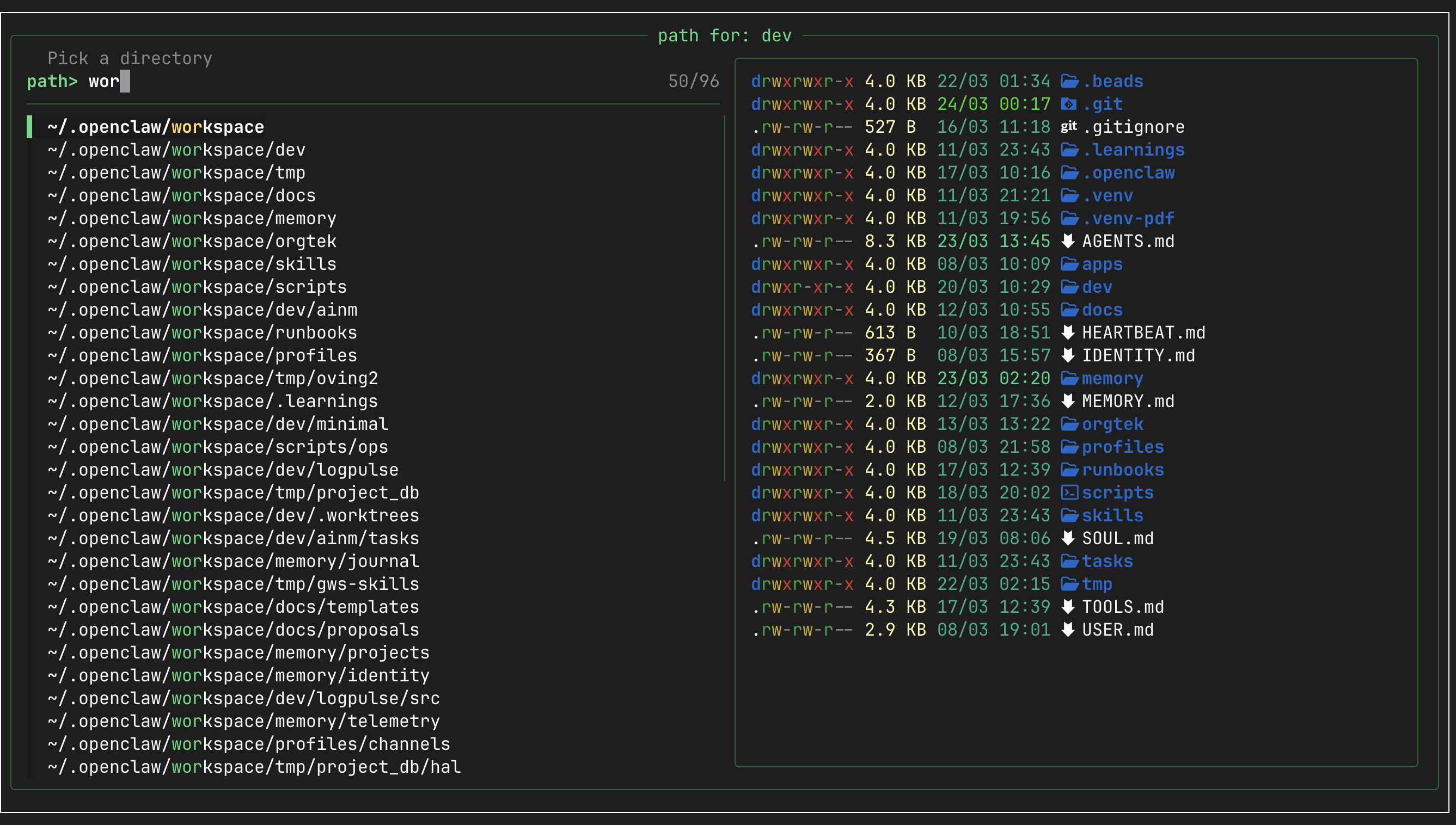
This makes spinning up a new agent session for a specific project a 3-second operation: name it, tab, type a few chars of the project path, enter.
Themed action screens
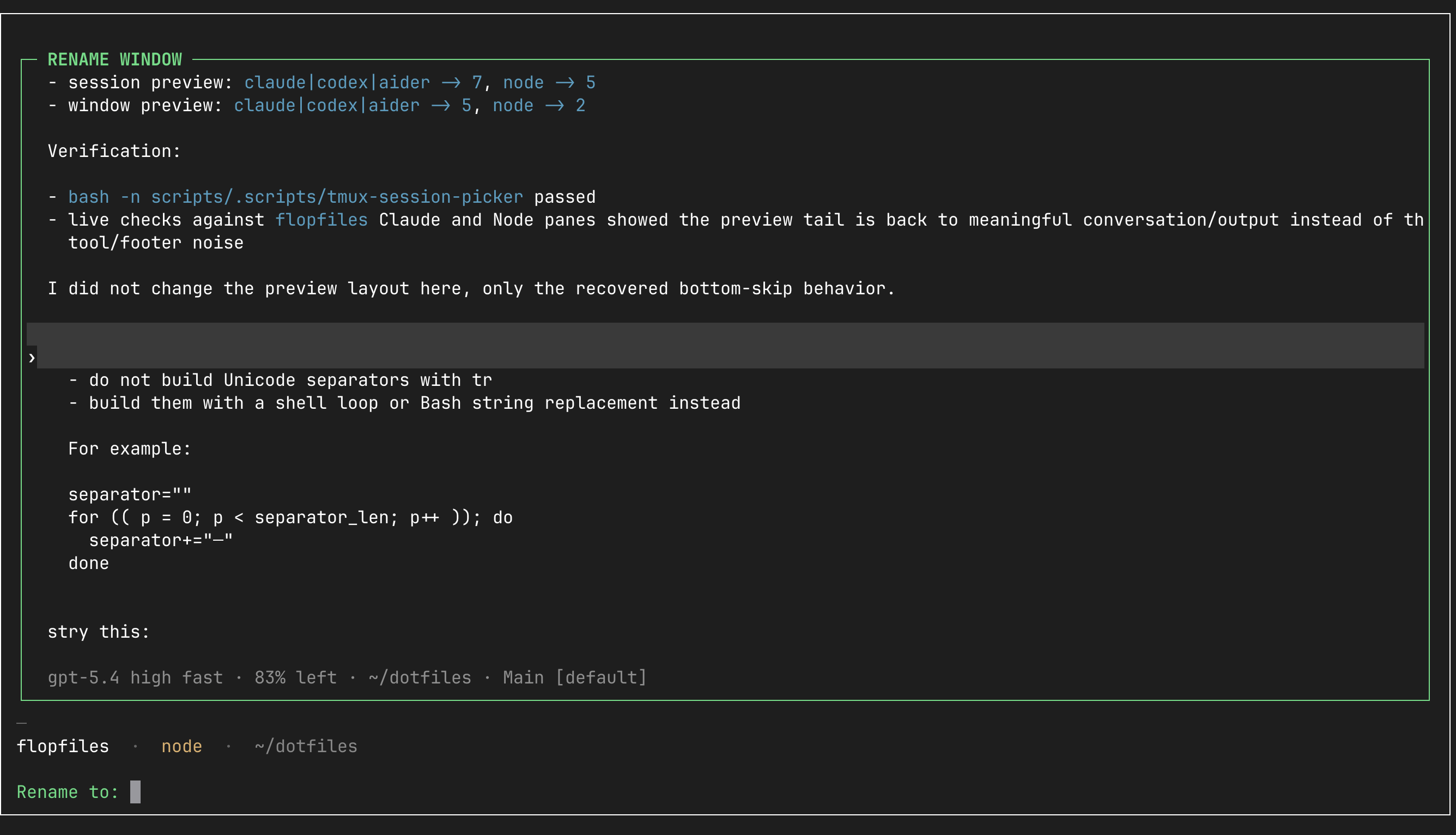
Rename and kill operations get their own full-screen views with bordered pane captures, so you always have context about what you’re acting on:
The bigger picture
Workflows are changing, and so must the tools. Luckily, building software has never been cheaper. There is so much leverage to be had by just identifying a problem and “clanking” away at it.
The script is here. Bind it to a key in your tmux.conf and stop squinting at ctrl-b s.